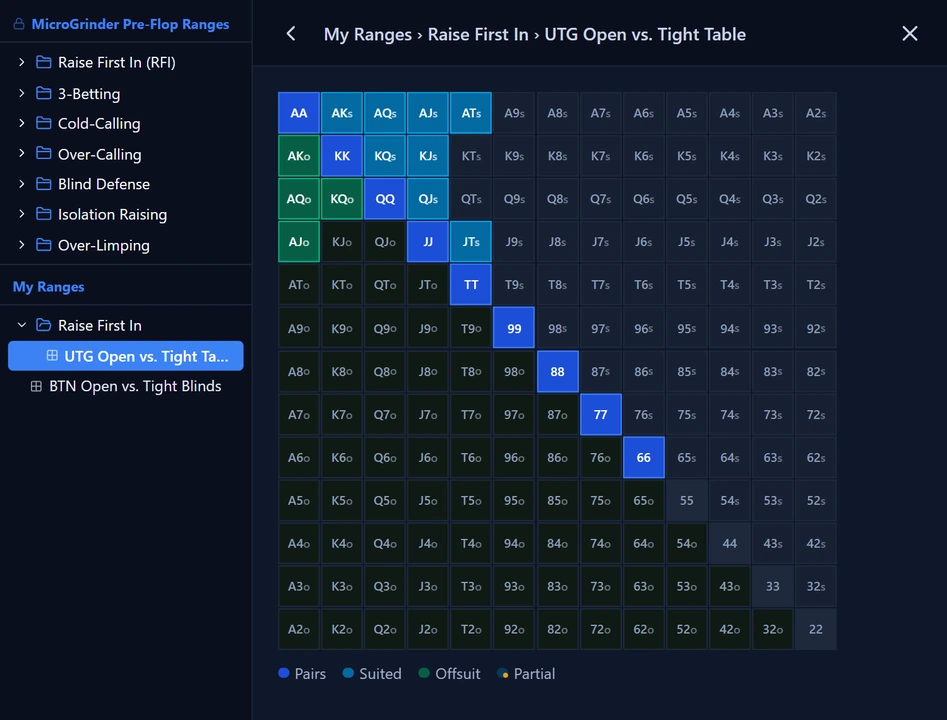
Our Web-Based Library of Pre-Flop Ranges to Study and Use at the Table
We built Range Viewer to make it easier for our students to learn, practice, and use our recommended pre-flop ranges, without printing a PDF or installing software such as Equilab. Range Viewer is web-based, so you simply open it in a browser window and view our ranges in Grid Mode or Single Range Mode. Open the pop-out window to keep our ranges side by side with your poker table while you play, or with your hand history review, so you have the flexibility to use them however you work. Every one of our pre-flop ranges is here. With Range Viewer Pro, you can also add your own range library and use your own ranges while you study, practice, and play.
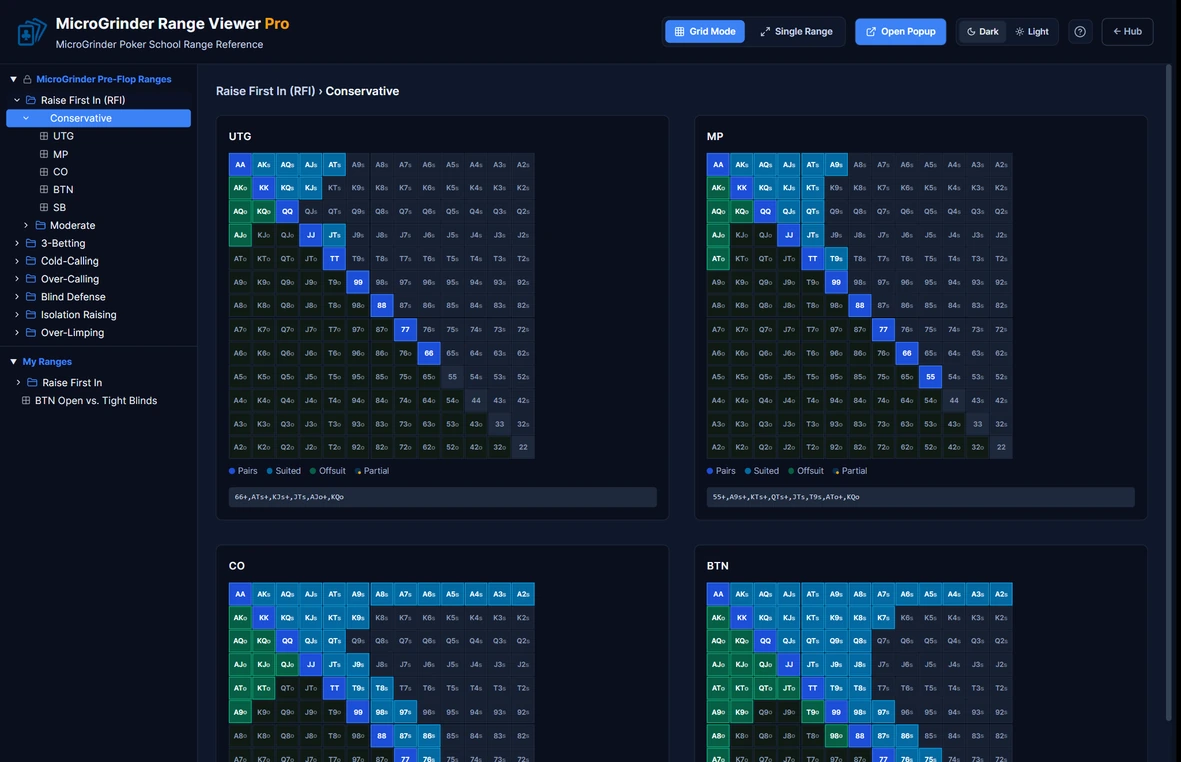
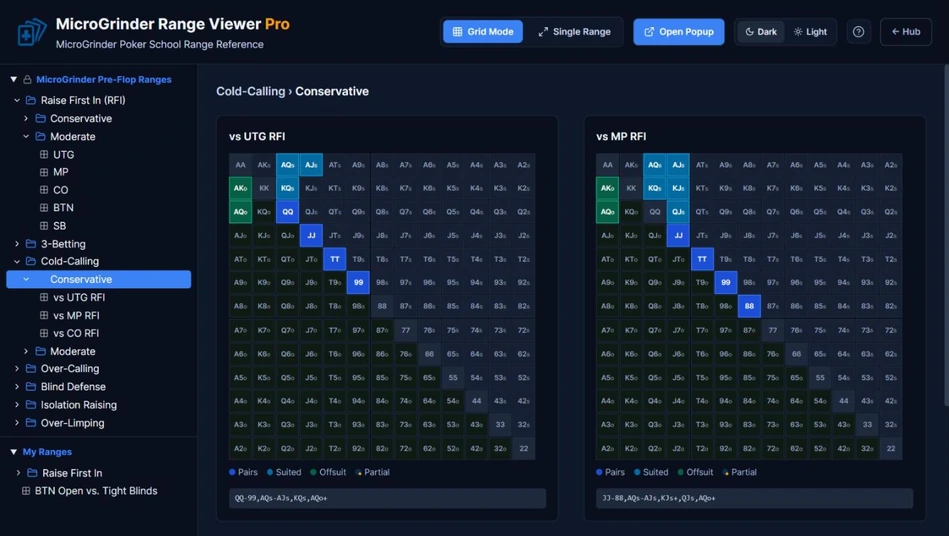
See every range in a folder at once. Click a category and each position appears as its own chart, with the hands in that range listed underneath, so you can compare how your ranges change from seat to seat.
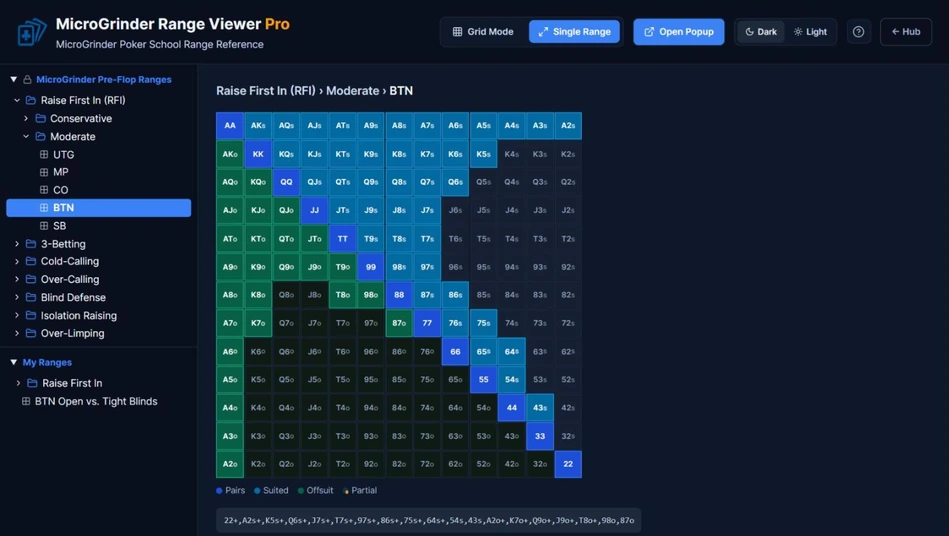
Open any range as a full-size hand matrix. Pairs, suited hands, and offsuit hands are color-coded, and the range notation is shown right below the chart.
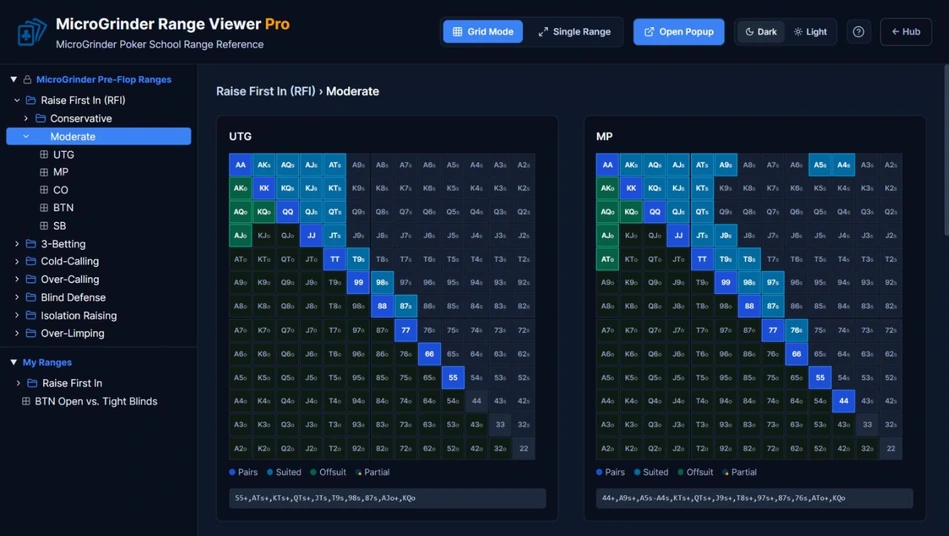
Browse our pre-flop ranges by category: Raise First In, 3-Betting, Cold-Calling, Over-Calling, Blind Defense, Isolation Raising, and Over-Limping. Raise First In comes in Conservative and Moderate versions, and every range is based on the pre-flop strategy we recommend for micro stakes games. Open any category to study the right range for every spot.
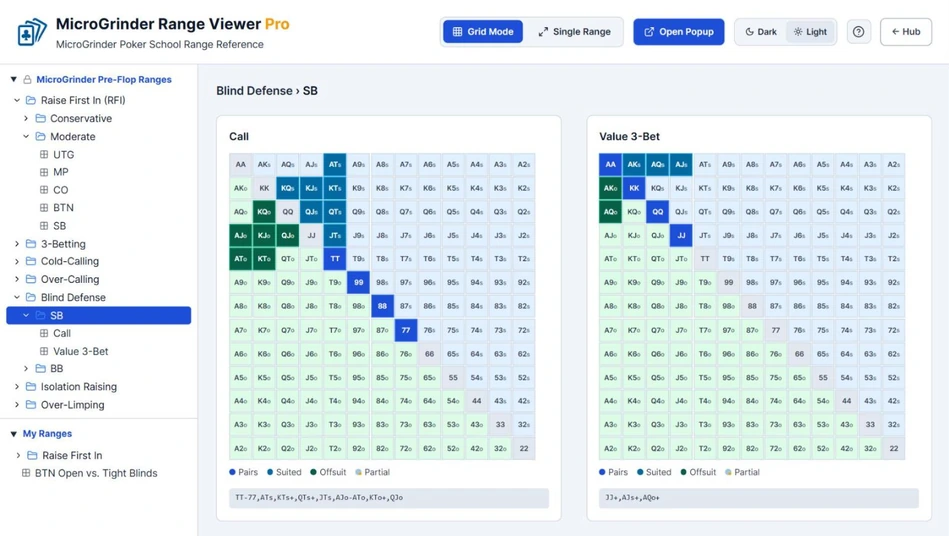
Switch between dark and light themes with one click. Your choice carries over to the pop-out window, so every range looks the way you like it.
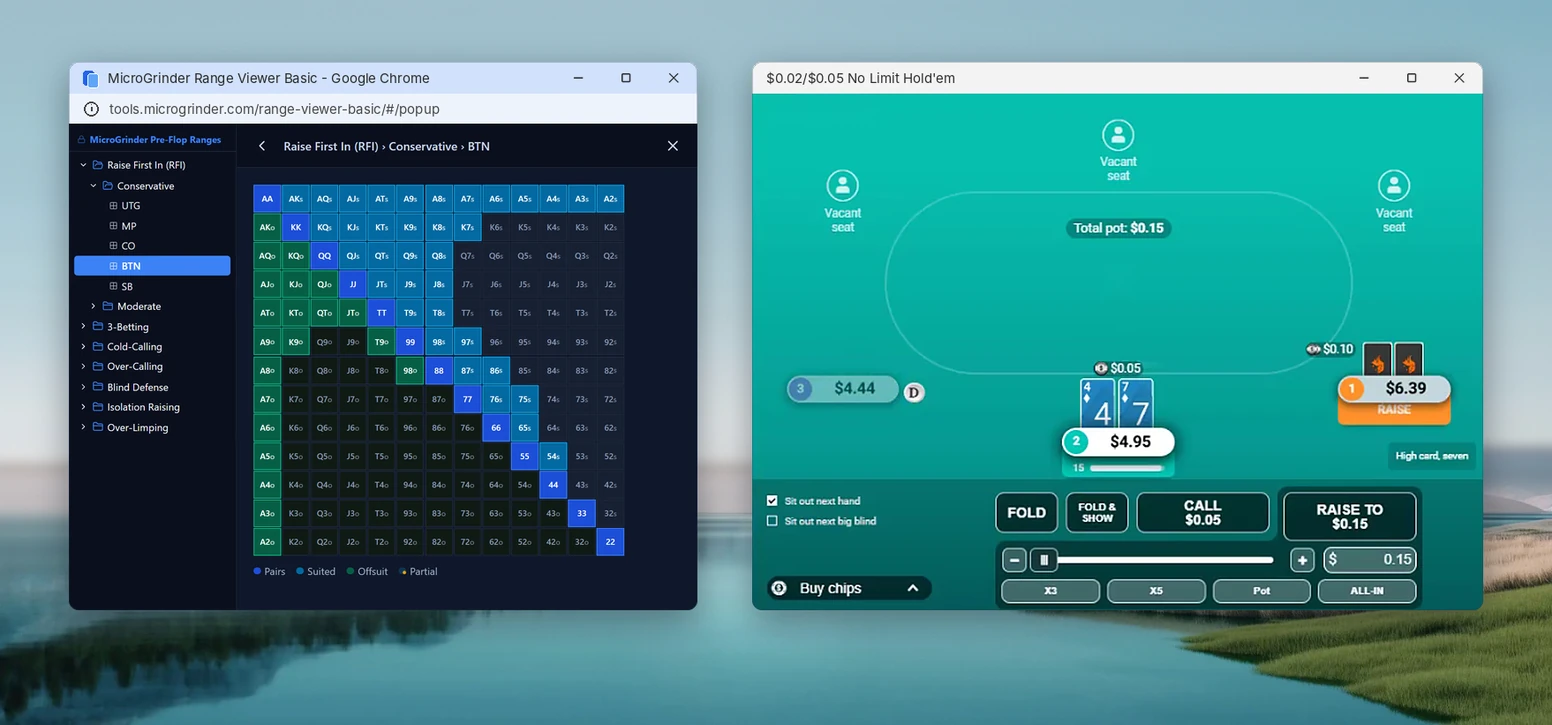
Open the pop-out window and slide it next to your poker table, so our ranges stay in view while you play. You can also keep it beside you during a hand history review. It works on Windows, Mac, and Linux with no range software to install. Just allow pop-ups for the Poker Tools Hub in your browser and it opens in one click.
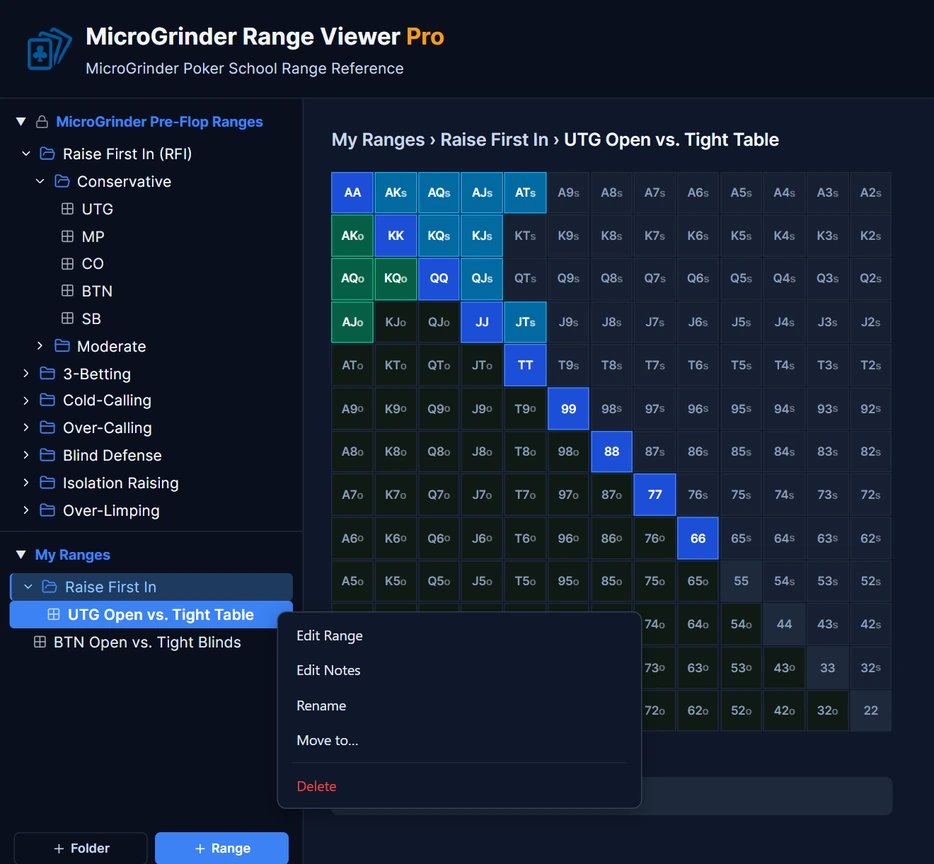
Build a personal library right beside ours. Create folders and subfolders (up to five levels deep), add your own ranges, and organize everything your way. Right-click to rename, move, or delete a range or add notes to it, or drag items to reorder them. Your library is shared across Range Viewer Pro, RangeLab Pro, and the Range Viewer panel at the table in MicroSim Pro, so every range you save is ready wherever you study or practice.
Build any range your way. Click or drag across the hand matrix, use the percentage slider to select the top hands automatically, or type a range such as 77+, A9s+, KTs+. A Random button builds a range for you, and Select All and Clear are one click away. Name it, save it to your library, and it is ready to use.
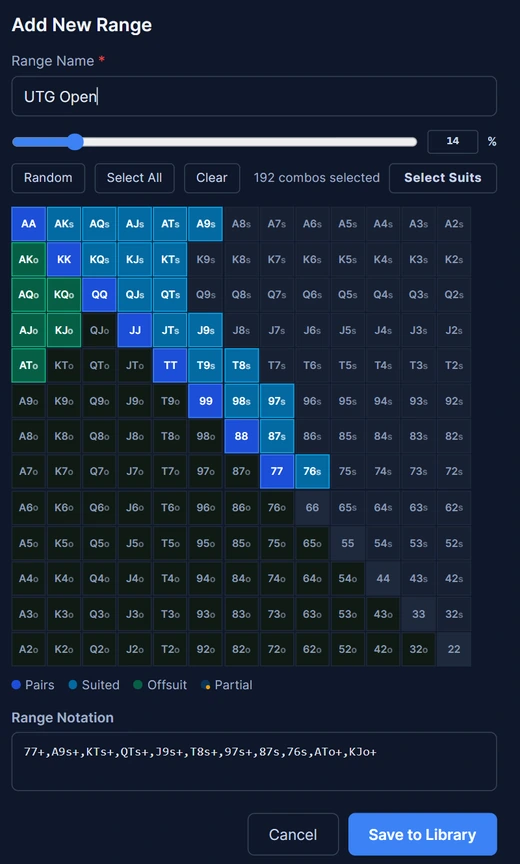
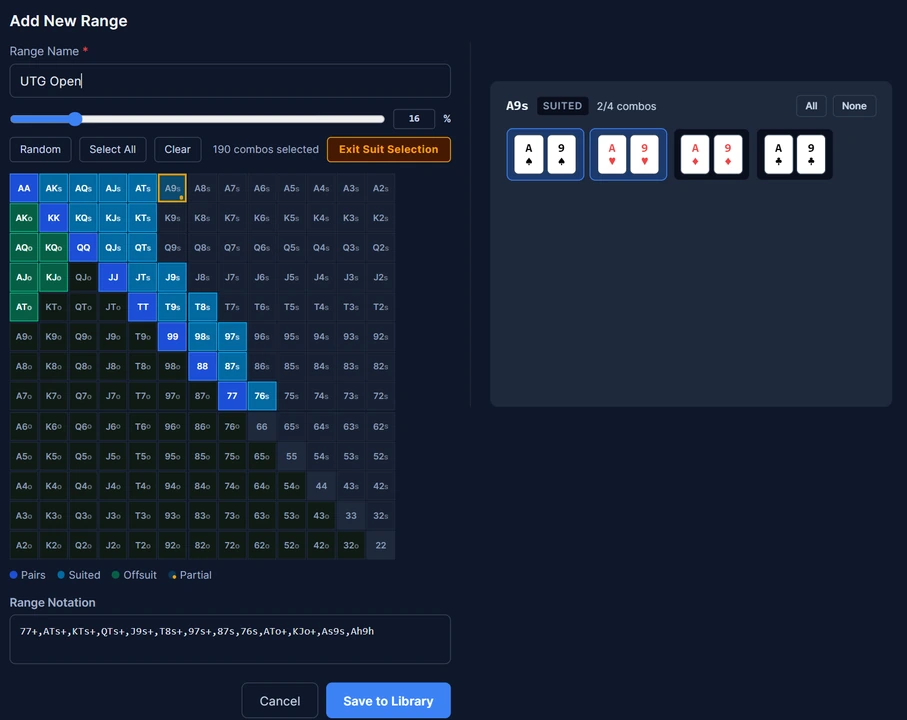
Click any hand on the matrix, then choose exactly which suit combinations belong in your range, such as only the spade and heart versions of A9s. Hands that are only partly selected are marked with a small dot, so you can see at a glance where your range is trimmed.
Your personal ranges come along in the pop-out window. Switch between our MicroGrinder ranges and your own right beside your table, so the range you need is always one click away.