Our Web-Based Poker Session Tracker and Hand Logger
Session Assist is our web-based poker session tracker and hand logger, built to help our students stay on track during every session. While you play, the countdown timer, session tags, session notes, and hand logger keep you accountable. Take notes on what you did well, what you did not, and the leaks you need to work on, and log the hands you want to review later. After you play, the session dashboard shows how things are going over time, including how many sessions you have played, how long you have played, your average session length, your total profit and loss, whether you are on an upswing or a downswing, and how your graph looks. It is simple and easy to use, and we built it for our students.
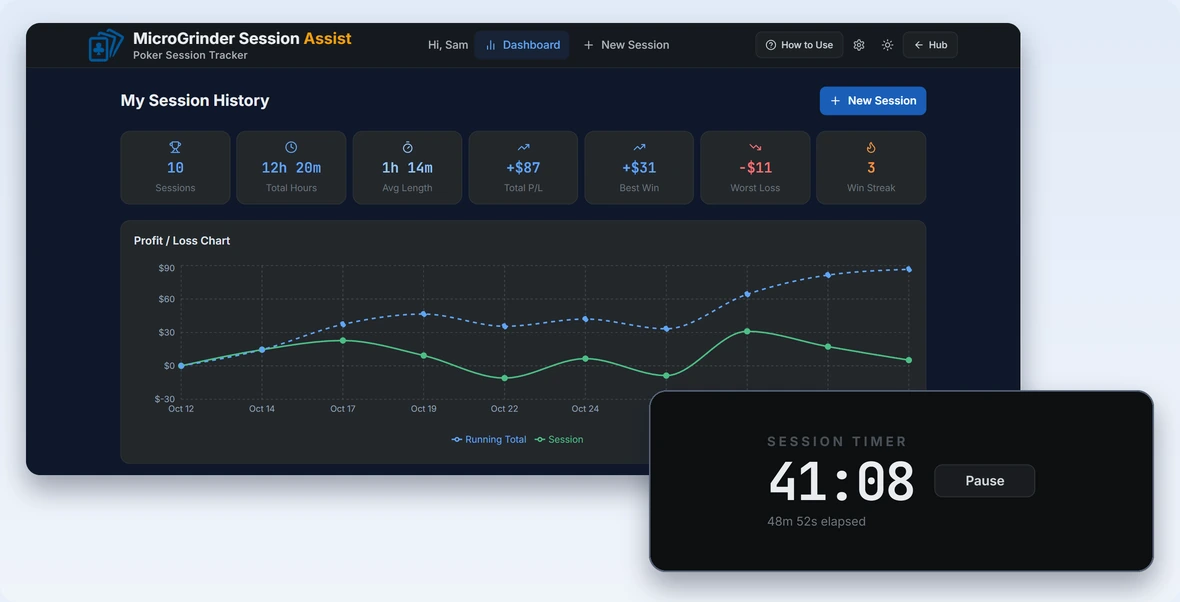
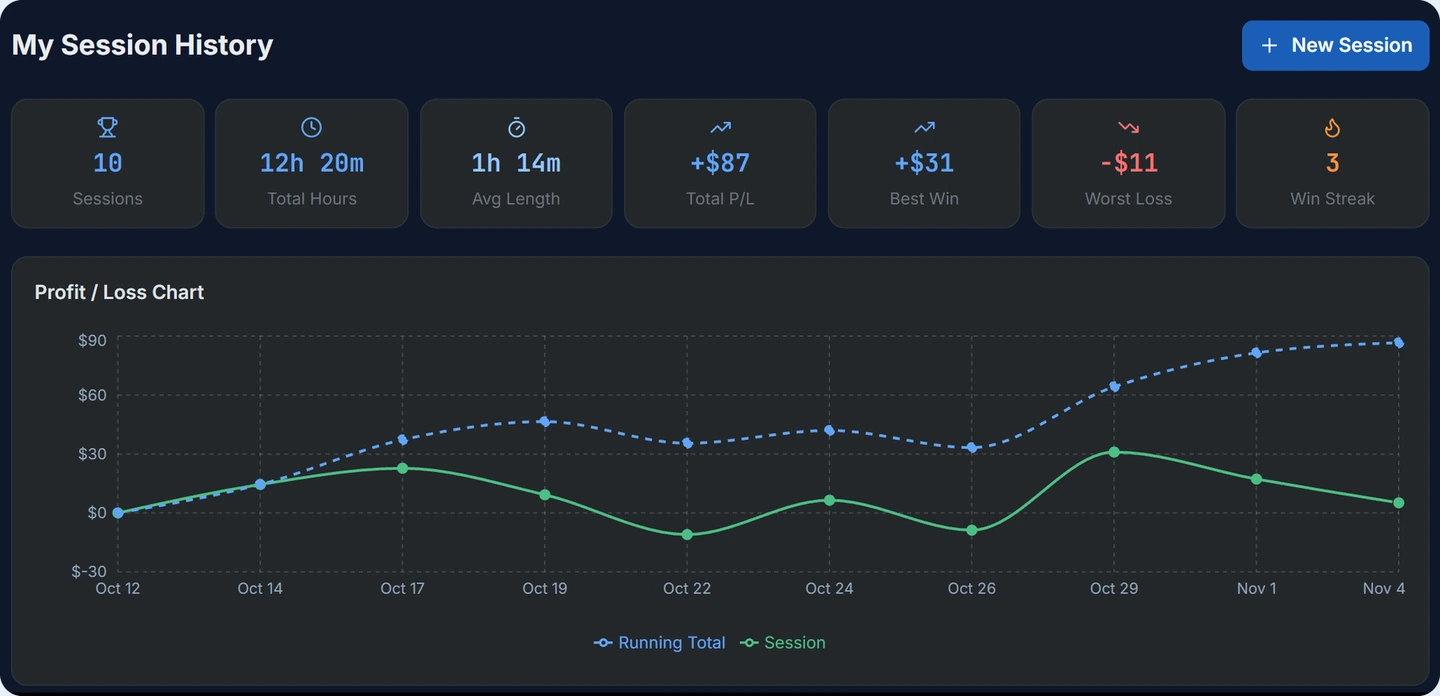
See how you are doing over time at a glance. Your dashboard shows how many sessions you have played, your total hours, average session length, total profit and loss, best win, and current streak, plus a chart that tracks your running total so you can see whether you are on an upswing or a downswing.
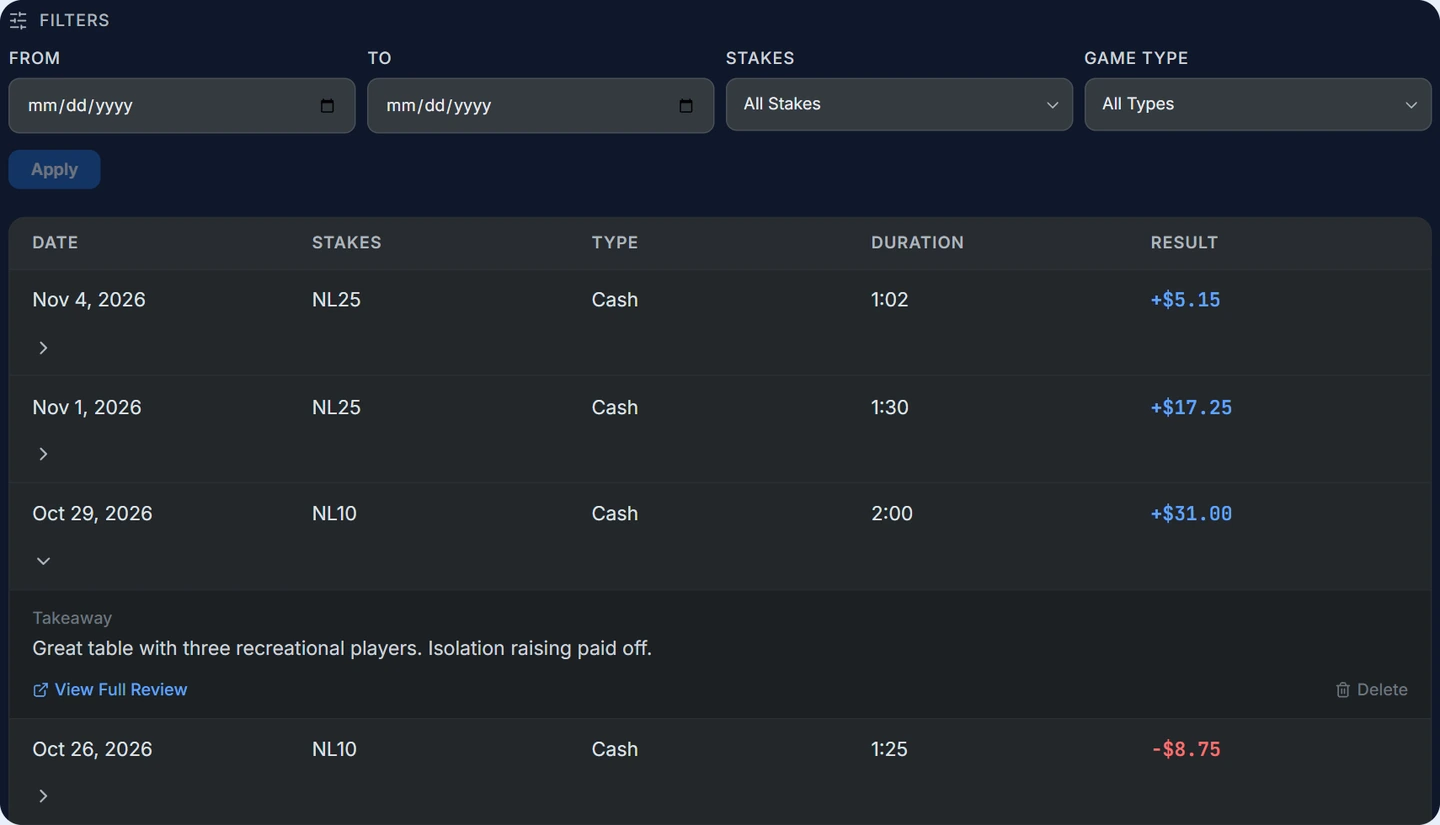
Every session you save is kept in My Session History. Filter by date, stakes, and game type to find the sessions you want, then open any row to read your takeaway, view the full review, or remove the entry.
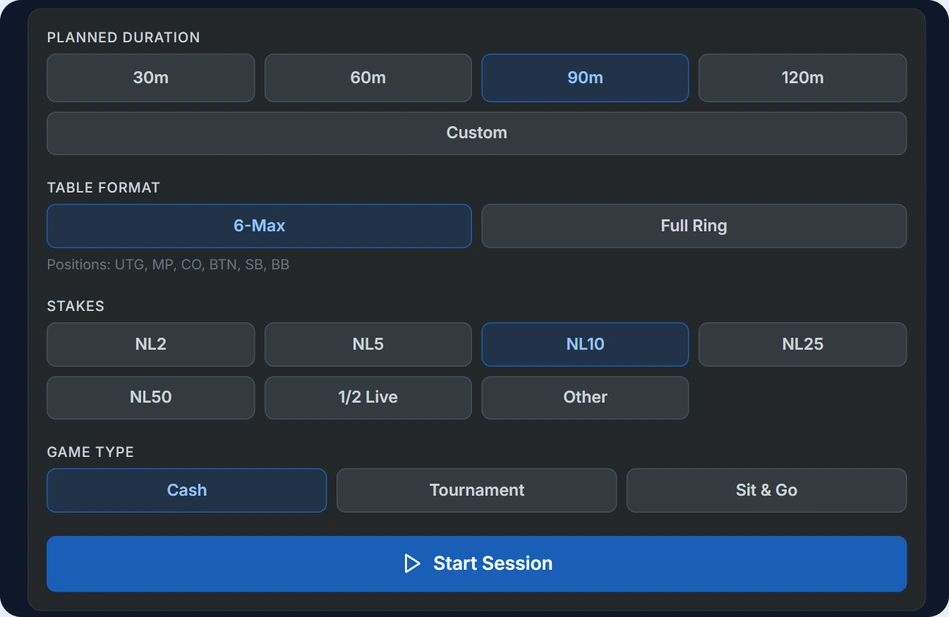
Start a session in a few clicks. Pick a planned duration, your table format (6-Max or Full Ring), your stakes, and your game type (Cash, Tournament, or Sit & Go), then press Start Session.
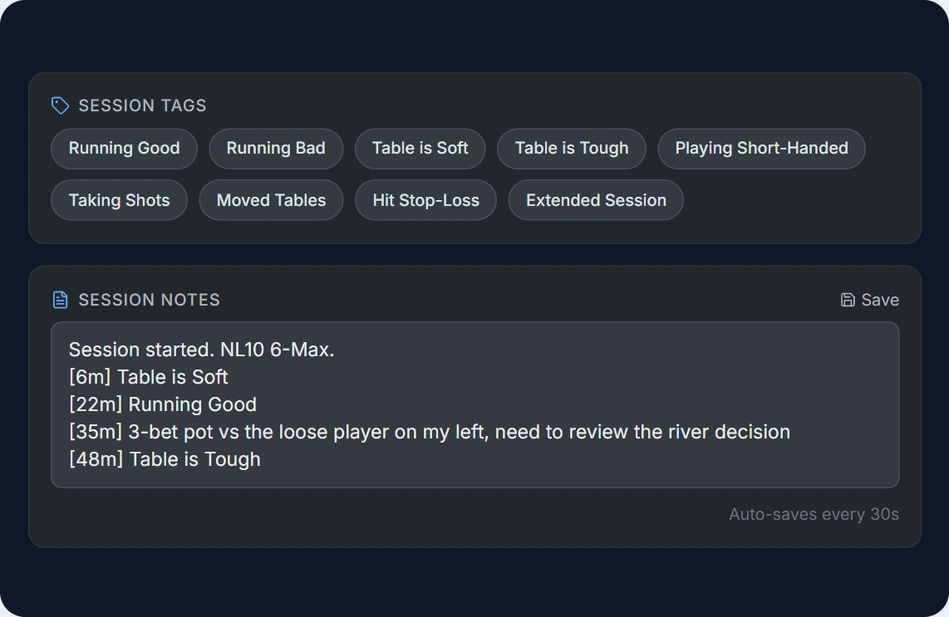
Keep notes while you play so nothing slips away. Tag how the session is going with one click, with tags like Running Good, Taking Shots, and Moved Tables, and each tag adds a timestamped line to your session notes automatically. Use your notes to write down what you did well, what you did not, and the leaks you need to work on. Your notes save on their own every 30 seconds.
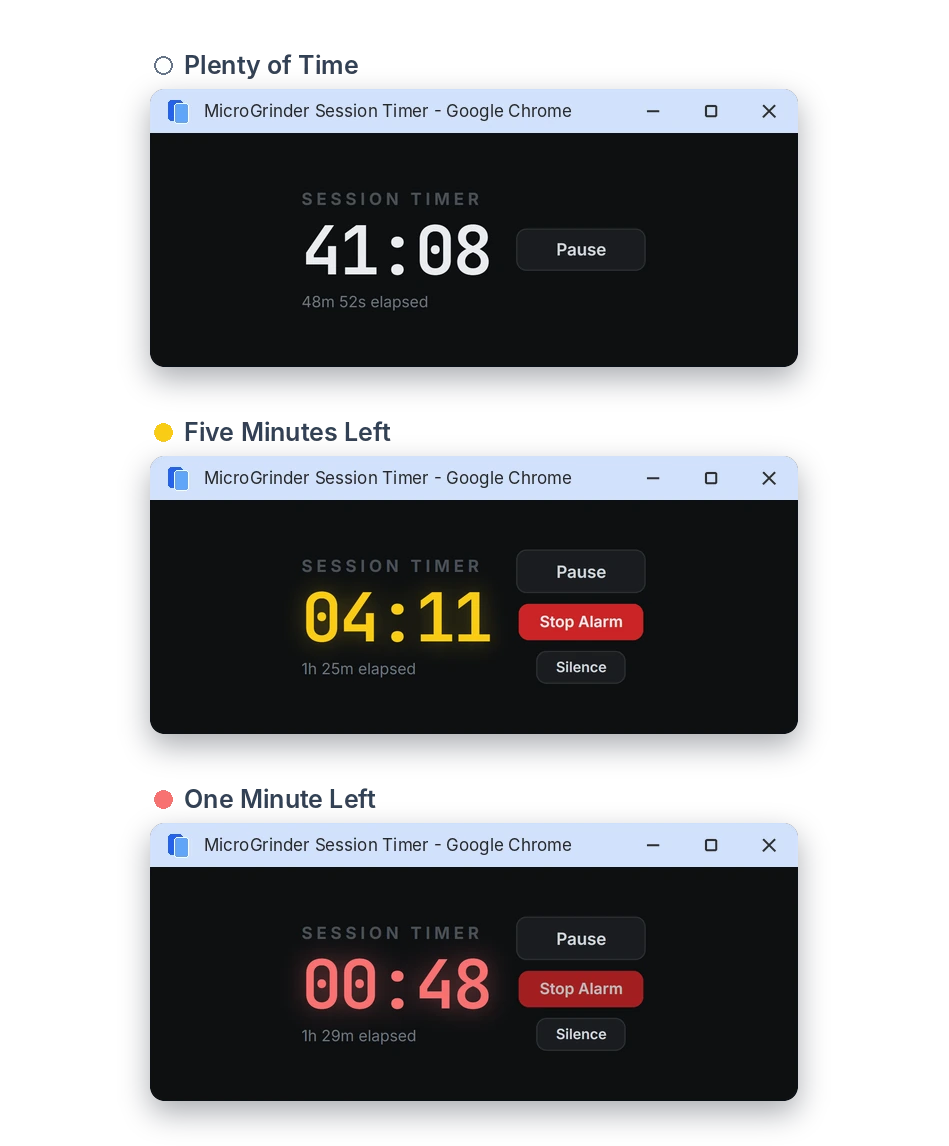
Stay on track with a countdown timer that shows your time left and your time elapsed, so you play the session you planned. Pause when you need a break, or pop the timer out into its own small window so it stays in view while you play. The timer starts white, turns yellow with an alarm at five minutes left, and turns red with another alarm at one minute left. You can also extend your session by 15 or 30 minutes.
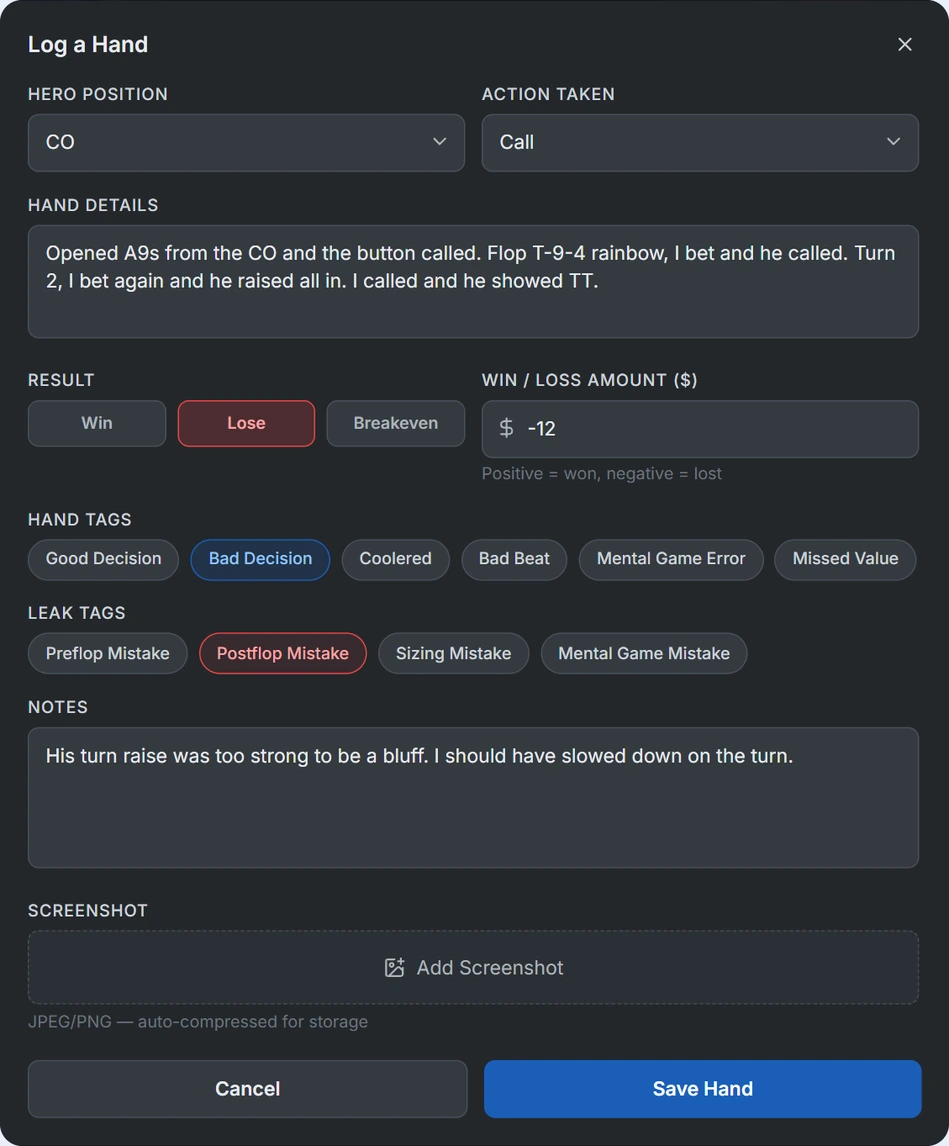
Log the hands you want to review later without leaving your session. Record your position, action, result, and amount, then add hand tags like Good Decision, Bad Beat, or Missed Value, plus leak tags for pre-flop, post-flop, sizing, and mental game mistakes. You can also add notes and a screenshot, so every hand is ready when you sit down to review.
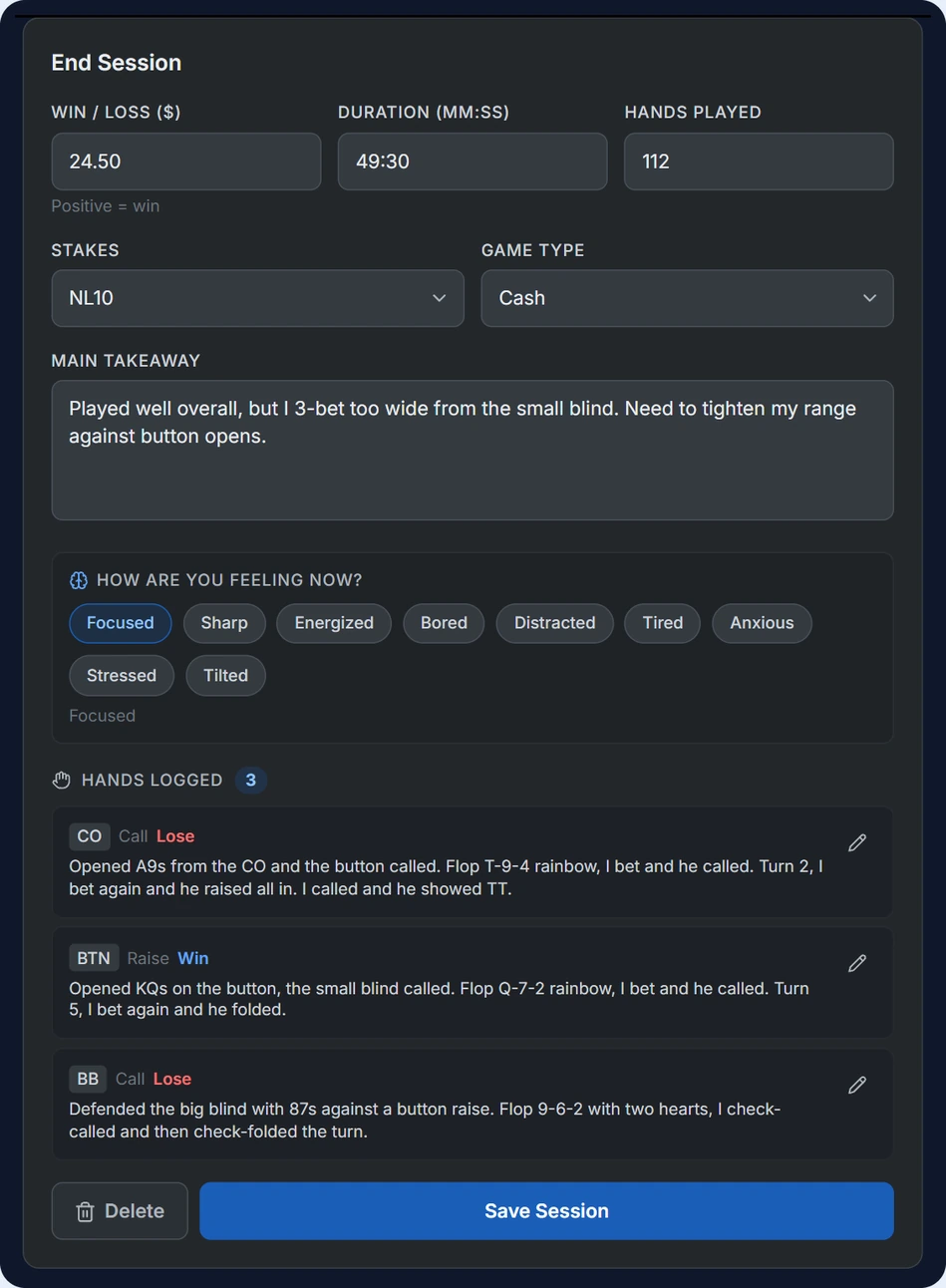
When you finish, a short form wraps up your session. Your result and duration are filled in from your logged hands and timer, and you add your hands played, a main takeaway, and a quick check-in on how you feel.
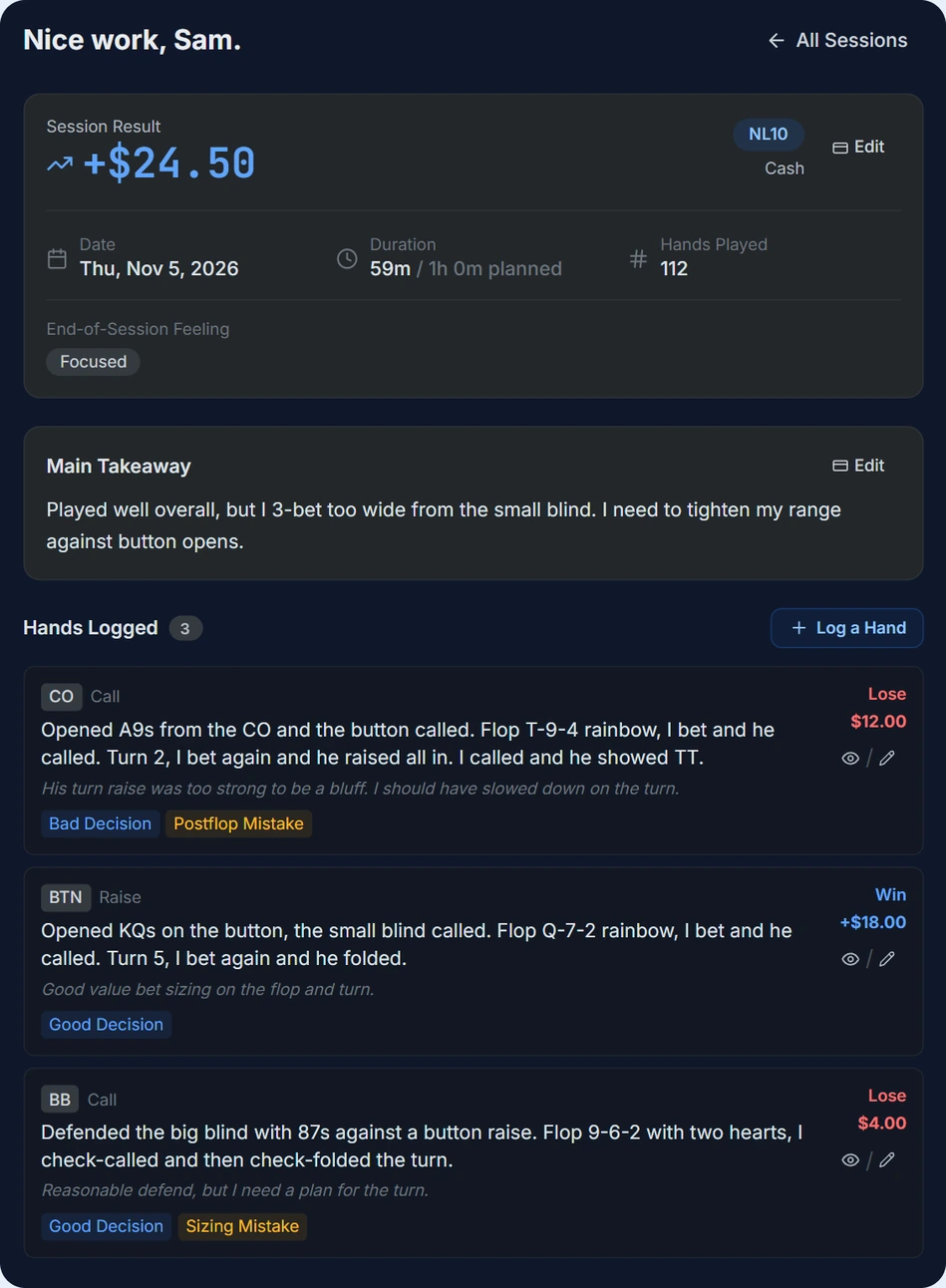
Look back on every session right after you play. See your result, your duration compared with your plan, your hands played, and how you felt, along with your main takeaway and every hand you logged with its tags, notes, and result. You can edit any of it.